How it works
Easy to Setup. Easy to Use.
Open an image of anywhere in the world and scale automatically
A built-in scaling system sets Adobe Illustrator to the accurate real-world scale for your satellite image.
Draw the roads exactly where you want them
Pick from the library of roads, intersections, roundabouts, and pavement markings and place them over your satellite imagery. Scale, rotate, and position them exactly how you want.
Share your ideas and make a difference
Export your ideas in high quality at any resolution. Share it online, at a community meeting, or in a portfolio and begin conversations around creating change.
See the difference
Before and after.
Drag the slider to see what's possible with Streetcraft Studio.
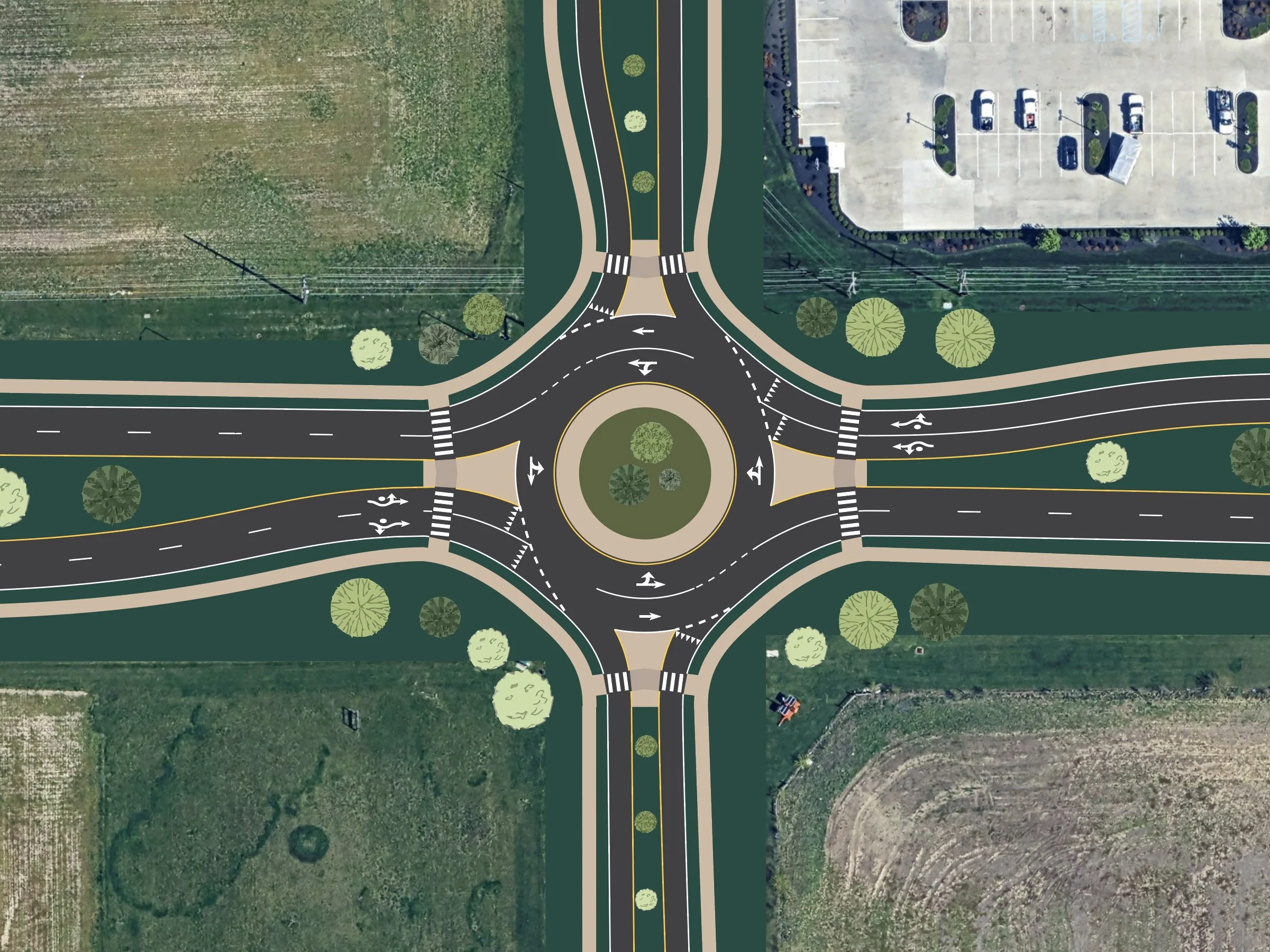
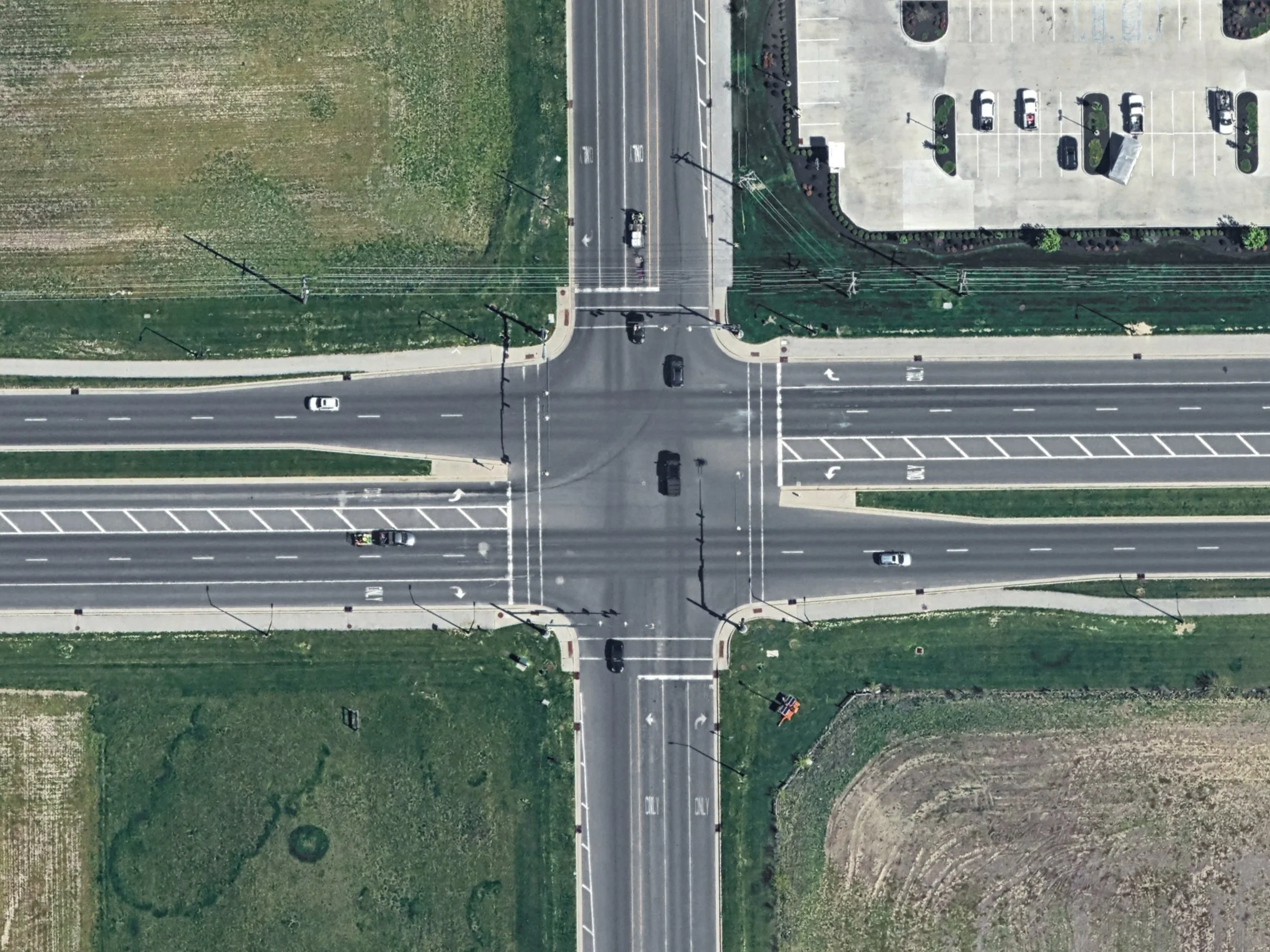
Roundabout Conversion
Built with Streetcraft Studio Toolkit Pro
← drag to compare →
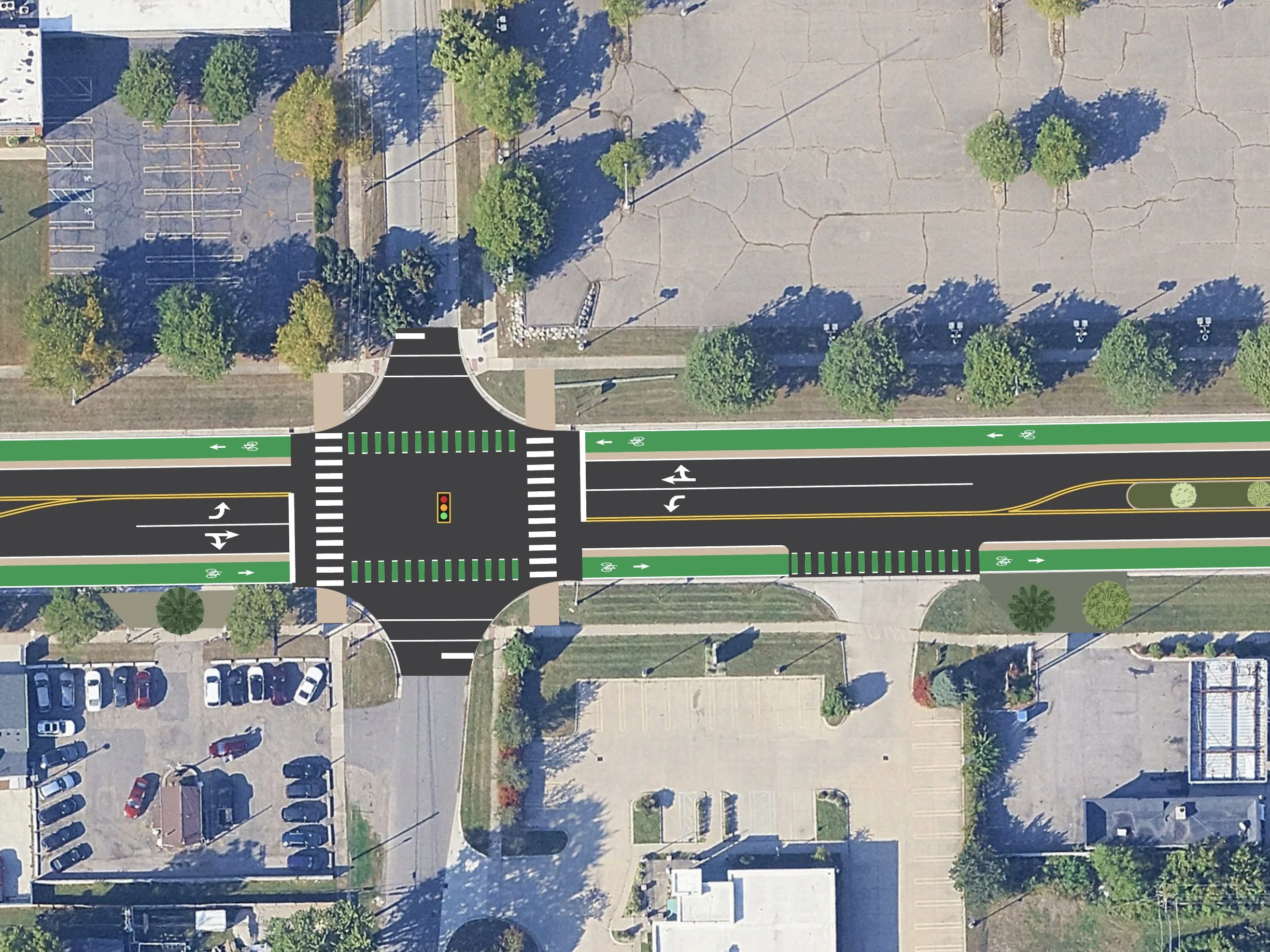
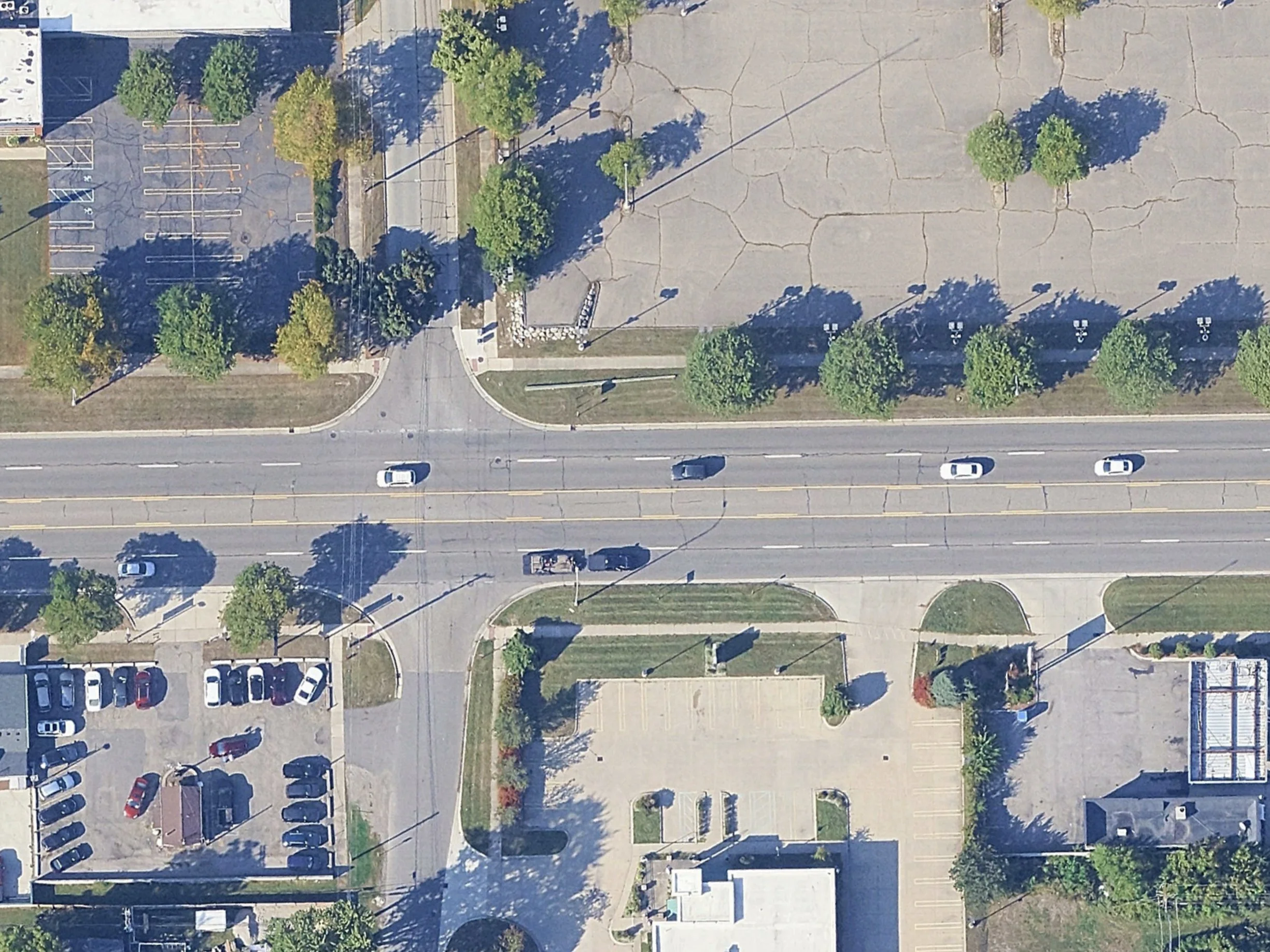
Bike Lane + Intersection Conversion
Built with Streetcraft Studio Toolkit Pro
← drag to compare →
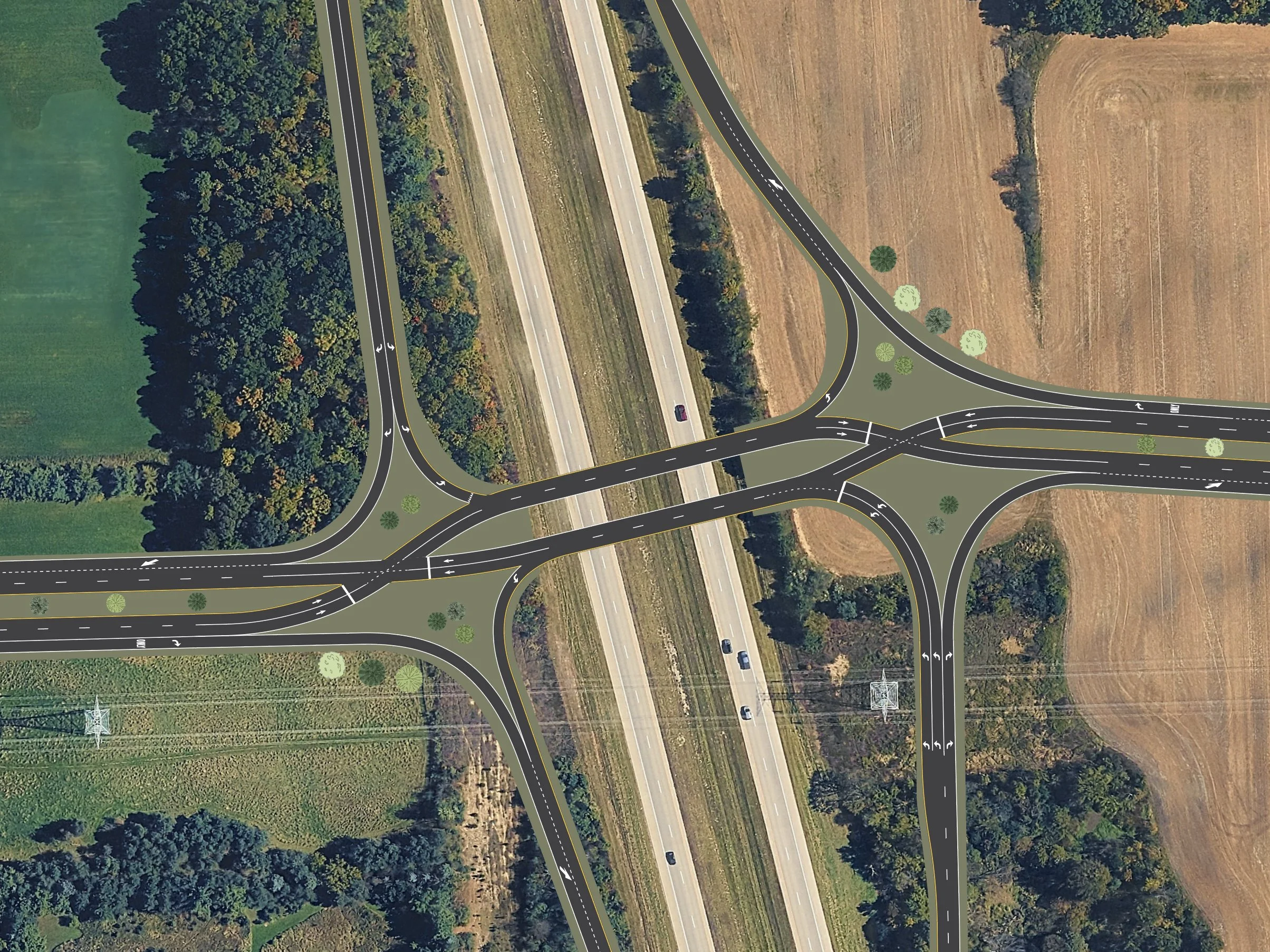
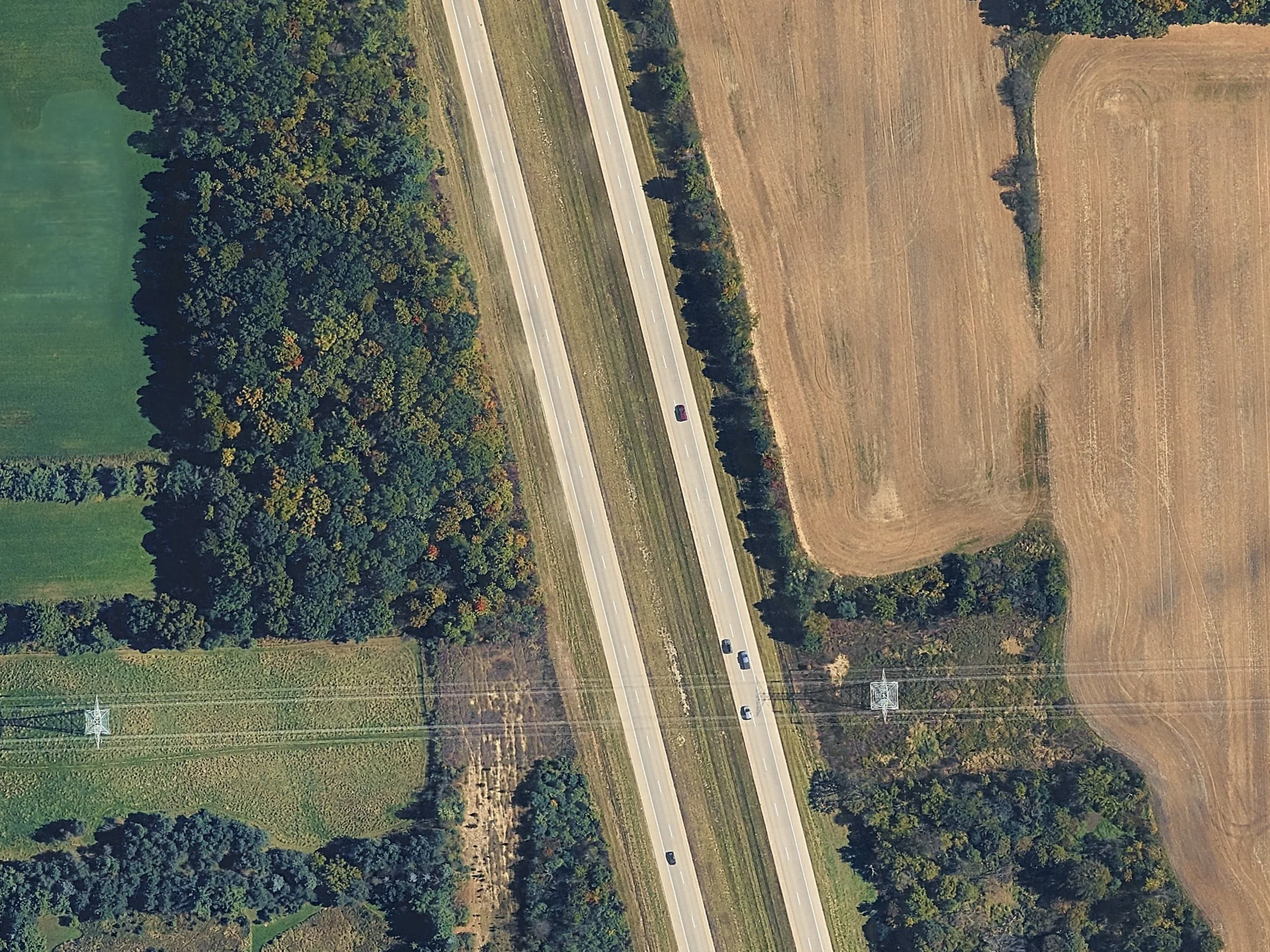
Diverging Diamond Interchange Addition
Built with Streetcraft Studio Toolkit Pro
← drag to compare →
Never Used Illustrator?No Problem.
Streetcraft Studio Toolkit makes it easy to use with one-click road presets, drag and drop elements, and a collection of tutorials Quick start video Drawing roads Intro to Illustrator Tips & tricks Intersection & roundabout presets And more to get you started right away.
Even if you've never opened Illustrator before, you can start designing in minutes
★★★★★
"I was able to create visuals that were way easier for everyday people to understand than CAD drawings and it only took a fraction of the time"
★★★★★
"I feel like I'm playing Cities Skylines but with my actual city! Not only is it super fun, but incredibly useful."
★★★★★
"As someone who hadn't used Illustrator before, it was so easy to get the hang of and I was able to reimagine a problematic street in my community."
How Streetcraft Studio can help you
I'm a .
Select all that apply.
Pick one (or a few) above to see how the toolkit can help you.
Student
Portfolio-ready visuals, no CAD degree required.
Create polished visuals for studio reviews, class projects, and your portfolio, without spending a semester learning specialized software first.
Engineer
Turn technical drawings into something the public actually gets.
Quickly build easy-to-understand visuals for public meetings and outreach, without opening CAD or waiting on a rendering team.
Advocate
Show neighbors what's possible, not just what's wrong.
Turn your idea for a safer street into a visual people can actually picture, the kind that builds support and gets people on board.
Planner
Test concepts on real streets before they're real proposals.
Drop road and intersection templates directly onto satellite imagery to mock up concept plans fast, then bring the strongest ones forward.
Educator
Make street design click for students, visually.
Give students a hands-on way to see how lane widths, bike lanes, and intersection design actually change a street, without a steep software learning curve standing in the way.
Elected official
Show constituents the "after," not just the ask.
Give the people you represent a clear before-and-after of a proposed change, so the conversation starts with what it'll look like, not just what it'll cost.
Content creator
Scroll-stopping visuals for urbanist content.
Produce clean before/after street redesigns for social media that make transportation and city planning content easy to understand at a glance.
Hobbyist
No professional reason needed.
Mock up your dream version of a street you drive every day, just because. No client, no deadline, just an afternoon and an idea worth seeing.
PRICING
Pick your pack
One time payment. Pay once, own forever.
|
Starter pack $39 one-time payment The essentials to get started |
Most popular
Pro pack $149 one-time payment Maximum flexibility to visualize your ideas |
|
|---|---|---|
| Road templates | ||
| Number of road types | ||
| Two Way Streets | Limited | ✓ |
| Highways / One-Ways | — | ✓ |
| Bike lanes | — | ✓ |
| Transit lanes | — | ✓ |
| On-Street Parking | — | ✓ |
| Paths & Trails | — | ✓ |
| Built-in sidewalk variations | ✓ | ✓ |
| Intersections + roundabouts | ||
| Intersection presets | ✓ | ✓ |
| Roundabout variations | 1 variation | 7 variations + custom roundabout presets |
| Pavement markings | ✓ | ✓ |
| Additional elements | ||
| Vehicles | ✓ | ✓ |
| Streetcraft Studio workspace | ✓ | ✓ |
| Auto Scale Tool | ✓ | ✓ |
| Tutorials | ✓ | ✓ |
| Advanced tutorials | — | ✓ |
| Licensing | ||
| License type | Personal use only | Single-seat commercial |
|
Enterprise pack
No time to learn it but still want visuals? We can do it for you → |
||
Want to upgrade to Pro later? You'll only pay the difference. Student discount available →
Required software
Streetcraft Studio requires Adobe Illustrator.
Currently only compatible with the English version of Illustrator.
Don't have Illustrator yet?
Don't let that be the thing that holds you back →Just looking?
Sign up for our email list and we'll send you the occasional:
Exclusive discounts
Before & after project examples
Tips for getting started with Illustrator
FAQ
Questions we hear a lot.
No, Streetcraft Studio is for computer only and works on both Mac and Windows. It's a toolkit that runs inside Adobe Illustrator.
No experience needed. The toolkit is built specifically around making it easy for beginners to use. The getting started video walks you through everything from scratch, and we've got additional tutorials available that explain even more tips and tricks!
Adobe Illustrator is required and not included with Streetcraft Studio. See plans →
However, we're confident you'll love Streetcraft Studio, so we'll cover the cost of your first month. See the discount →
Streetcraft Studio is currently only compatible with the English version of Illustrator CC.
No — it's a one-time purchase. Pay once and the toolkit is yours forever, with no monthly or annual fees. (Adobe Illustrator itself is billed separately by Adobe and isn't included.)
The starter pack includes a collection of 39 essential road types and elements that will get you started designing in minutes.
The pro pack expands even further and includes 220+ different lane configurations, including highways/one-ways, bike lanes, transit lanes, on-street parking, and more. In addition, it includes in-depth tutorials for customizing even further with custom intersections and custom road types.
See the full comparison list here.
Yes, you'll receive a discounted upgrade link so the amount you already paid goes toward the cost of Pro. Check your original email confirmation for the link. Can't find it? Reach out and we'll be glad to help.
Yes — currently enrolled students get the Pro pack for $99 (regularly $149). Verify with your school email on the student discount page →
Yes, the toolkit and installer both work on Mac and Windows, as long as you have Adobe Illustrator installed.
The Auto Scale Tool works off any known distance you measure, so it isn't locked to imperial. However, the toolkit is built around a 1px=1 ft scale and lane widths are set to 11' wide by default.
Yes, anything in the toolkit can be recolored after you've completed your design. There is a tutorial that comes with the toolkit.
No, the toolkit creates static visuals only. Any simulation used in Streetcraft videos is done separately by importing the visuals created with the toolkit as a base layer into Eclipse SUMO, a free open-source traffic modeling software.
Streetcraft Studio Toolkit doesn't have a free trial, as it's a one-time purchase. However, Adobe does offer a free 7-day trial of Illustrator. See plans →
Depends on the pack:
If you've given it a chance to try it out, reached out to let us help with any issues, and it's still not for you, email us within 30 days of purchase for a full refund. Refunds end your license and you will lose access to your purchased Streetcraft Studio products.
Losing access to Adobe Illustrator doesn't qualify as a reason for refund, as Streetcraft Studio requires Adobe Illustrator and is billed separately.
Yes. If you'd rather skip the learning curve altogether, we can create the visuals for you. Reach out and tell us what you need →